SPS Project Reporting user guide
Progress reports, called Research Performance Progress Reports or RPPRs, are deliverables that provide updates on the scientific progress of a research project. RPPRs document any significant changes, identify new personnel, and outline future plans. Most sponsors, such as the NIH and NSF, require investigators to submit these reports regularly throughout the life of a project.
Missing or delaying a progress report can have serious consequences, potentially affecting the institution’s funding and reputation. Although deadlines are often available in sponsor systems like Research.gov or eRA Commons, accessing them requires users to navigate external platforms. To streamline this process, OASIS developed the Reporting Requirements feature. This feature offers clear visibility into upcoming progress report deadlines for NIH and NSF projects, using logic based on each sponsor’s policies to automatically generate due dates.
When are reporting requirements generated for a project?
Reporting requirements are automatically generated when a project that meets the following criteria is created:
a) Project sponsor is the National Institutes of Health (or any NIH children) or National Science Foundation



b) Project does not have a prime sponsor
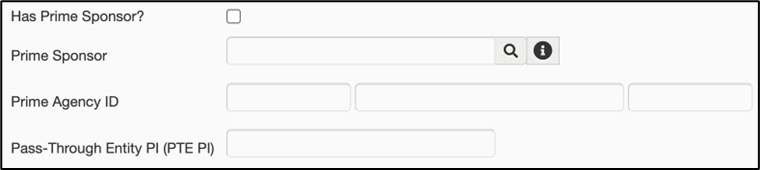
c) Project activity type is research

Reminder: A project is created when the proposal is awarded.
If a project does not meet all three of the criteria above, reporting requirements will not be automatically generated, and the following text will be displayed in the Requirements tab of the project:

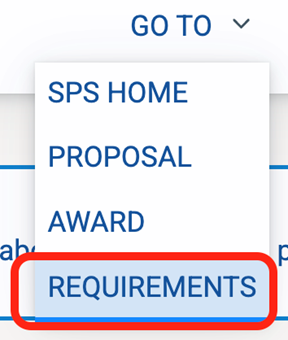
To view information about each type of requirement supported in SPS, click View Standardized Sponsor Requirements on the Reporting Requirements search page. From SPS Project, click Go To > Requirements from the top right corner to navigate to the search page:

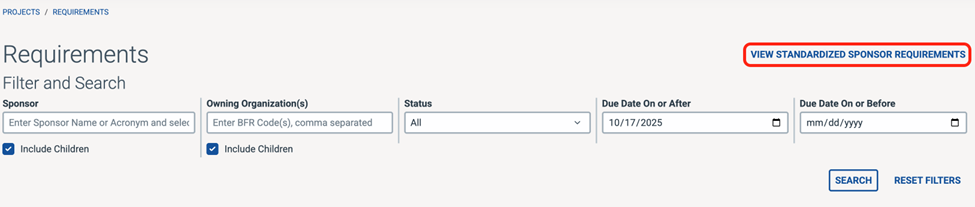
This page lists each type of requirement that could be generated for a project. Requirements are automatically generated based on the sponsor and project setup (i.e., whether the project is SNAP, multi-year-funded, and project start/end dates).
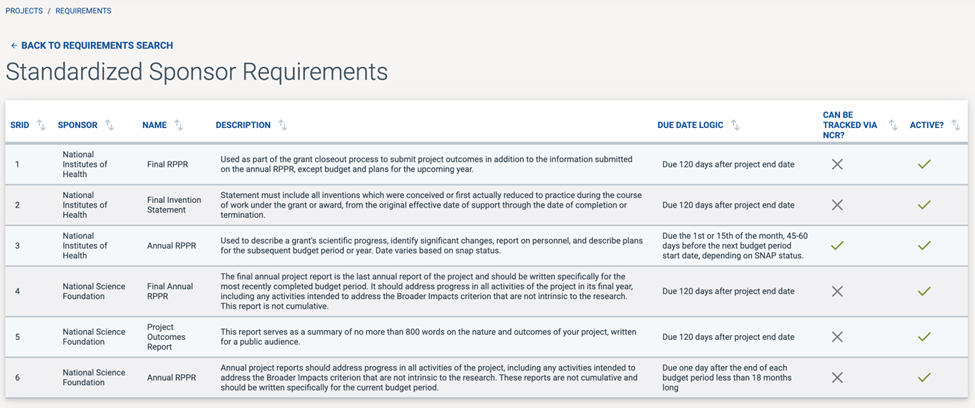
The “Due Date Logic” describes the pattern used to generate the requirement’s due date. The “Can Be Tracked Via NCR?” column specifies whether the requirement can be tracked via a SPS non-competing renewal record. More information on tracking requirements is in the sections below.
Navigating to a project's reporting requirements
Open the project in SPS Project
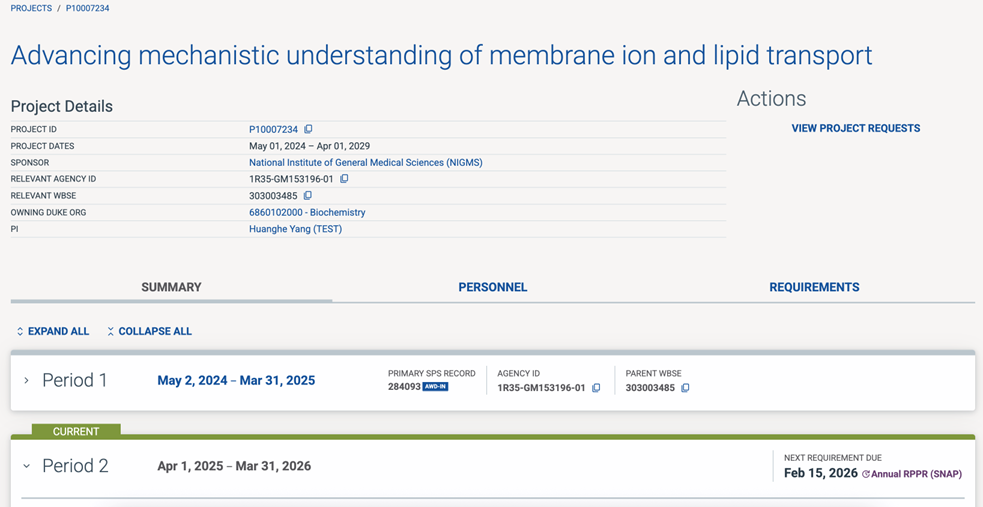
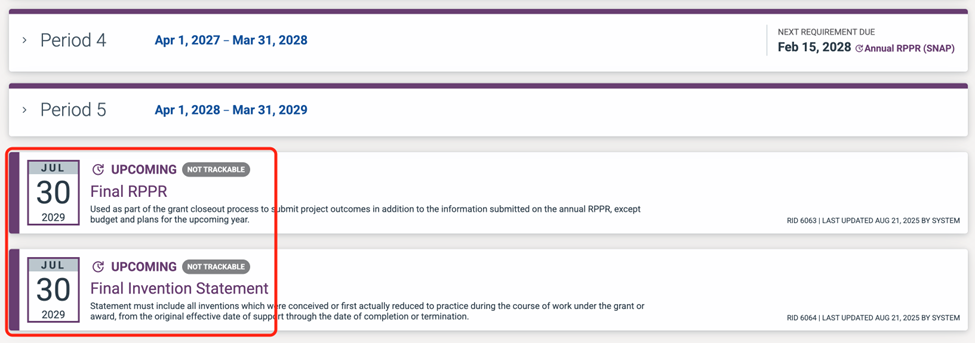
On the Project Summary Page, the annual RPPR deadlines are displayed in each budget period’s row (except the final period). Final RPPRs are displayed below the last budget period. The requirement due date is listed next to the type of requirement.
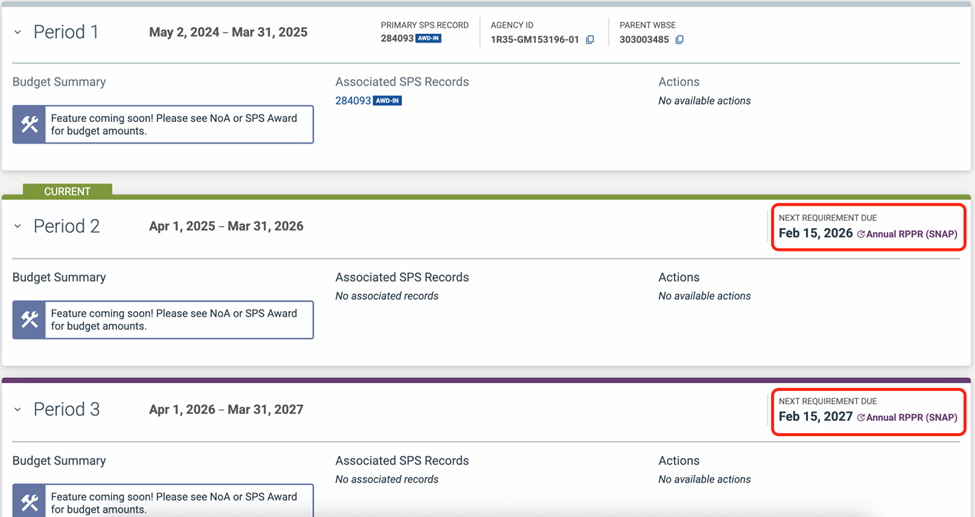

NOTE: Requirements due before September 2025 will not be automatically generated.
Final reports are displayed below the last budget period. They are not associated with a budget period because final reports are due after the project ends.
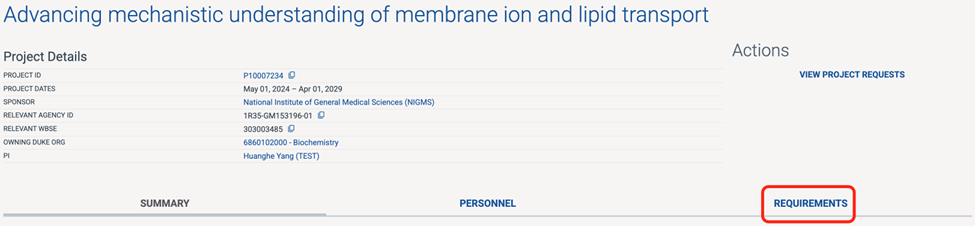
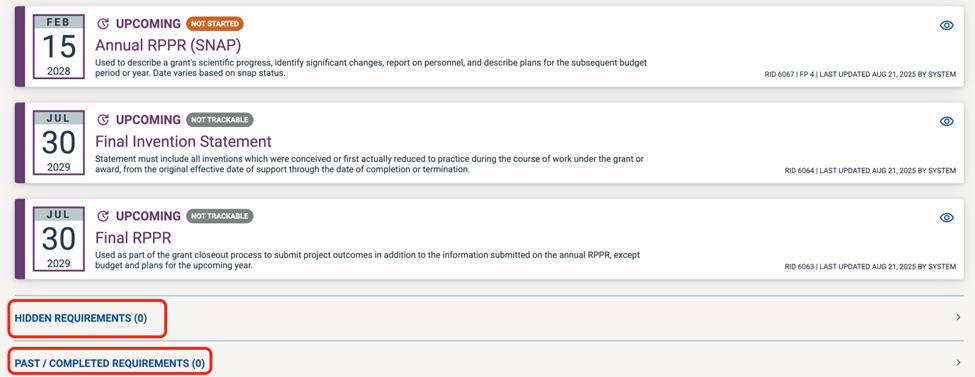
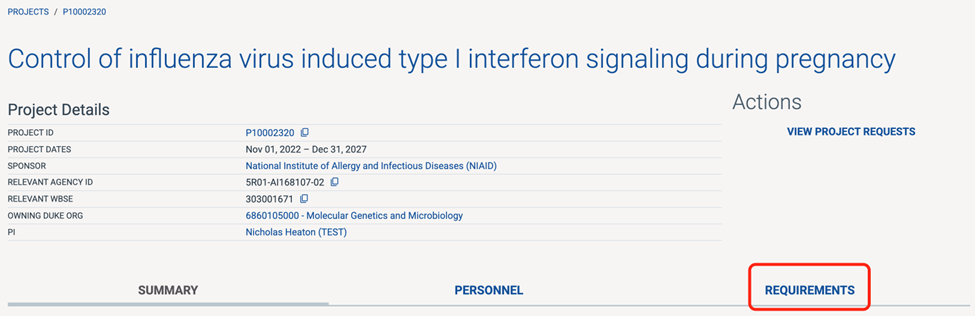
To view the requirements in a list form, click the “Requirements” tab. This displays all upcoming requirements in chronological order from top to bottom, in a list form.
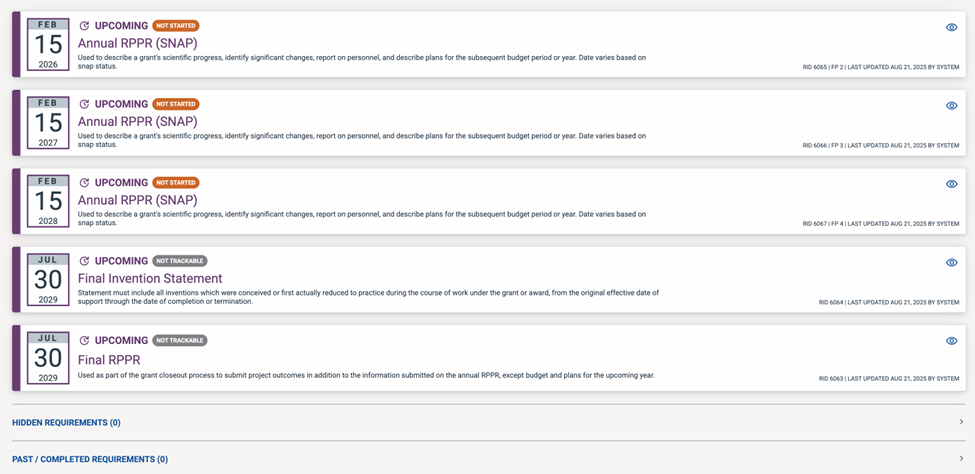
Scroll past the upcoming requirements to view Hidden and Past/Completed Requirements. More information on Hidden and Past/Completed requirements will be coming soon.
Reporting requirements search
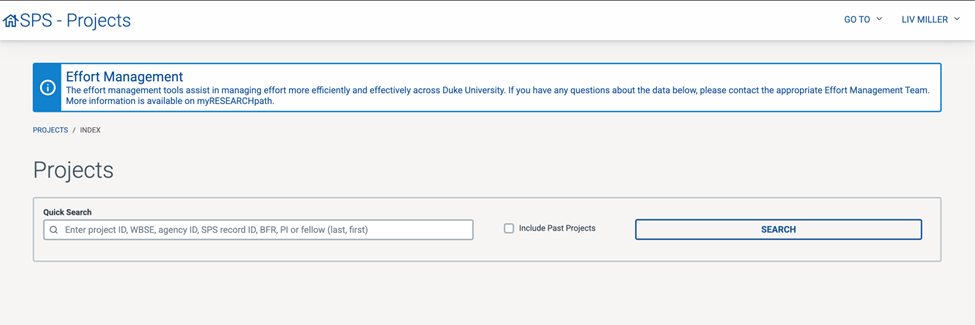
Go to SPS Projects:
Click on the Go To menu in the top right corner, then click Requirements:
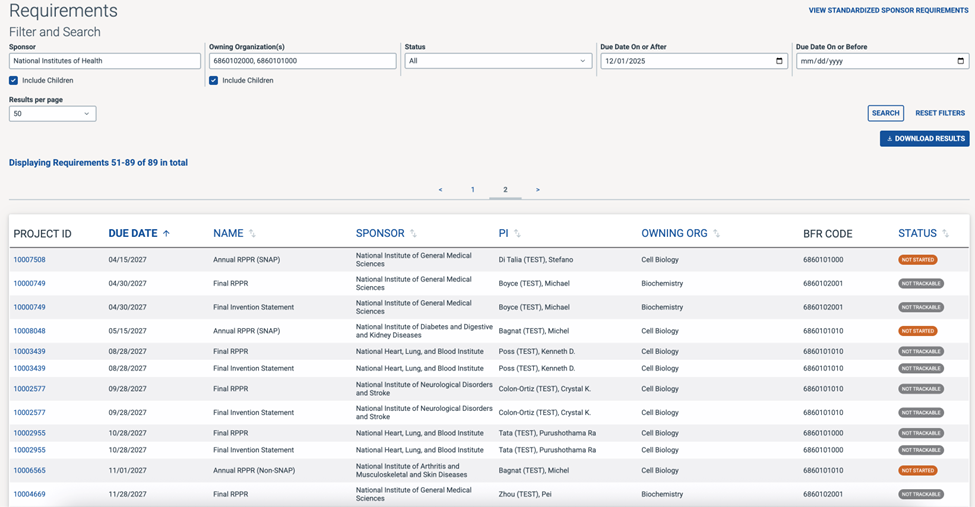
Fill in the search fields to filter down to a subset of requirements. As you type in each field, a list of auto-completed recommendations will display. Click on the correct option.“Due Date On or After” will default to today’s date, but you can change it if needed.
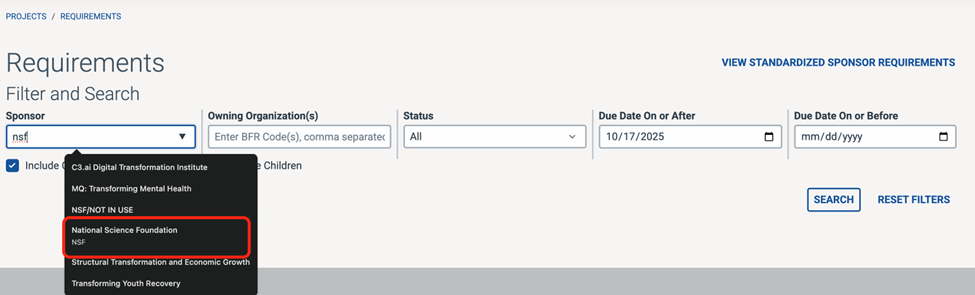
NOTE: Leaving “Include Children” checked ensures that the children of the sponsor or owning org are included in the search results. For example, if National Institutes of Health was entered for the sponsor and “Include Children” remained checked, requirements for all projects where NIH or any of NIH’s child institutes are the sponsor will be included in the search results.
4. You may enter a combination of filters, and you may also search on multiple owning orgs (separated by comma). For example, in the screenshot below, “6860102000, 6860101000” was entered for the Owning Organization, “Not Started” was selected for the Status, and “12/01/2025” was entered for the “Due Date On or Before” search field. Therefore, when clicking “Search,” only requirements for projects owned by the Biochemistry and Cell Biology departments that have not been started yet and are due on or before December 1, 2025 will be listed.
To download a spreadsheet of the filtered results, click Download Results.
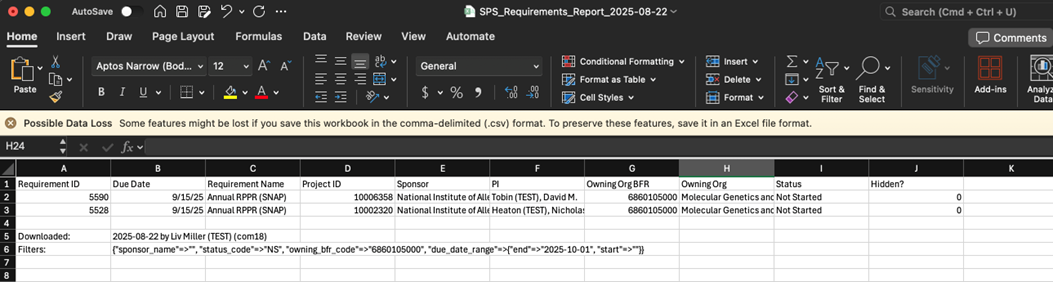
A CSV document of the requirements search results will be downloaded.
Reporting requirement statuses
A reporting requirement can have one of six statuses: Not Trackable, Not Started, In Process, Pending Submission, Submitted, and Completed. Please see the definitions below for a description of each status.
Not Trackable: For some NIH projects, non-competing renewal proposals submitted system-to-system via Grants.duke are the Annual RPPR, which means SPS is able to track the progress of the RPPR proposal’s routing steps. For NSF projects and multi-year-funded projects, however, SPS cannot track the progress of RPPRs because SPS records are not used for RPPR submissions in these cases. Additionally, final requirements (i.e., Final Outcomes Report) are not associated with SPS records. Therefore, NSF requirements, final requirements, and requirements for multi-year-funded projects will have a status of “Not Trackable.”

Not Started: Annual RPPRs that are trackable, but have not yet been started (i.e., the proposal record that will be used for the RPPR submission has not been created yet).

In Process: Annual RPPRs that are trackable, and the proposal for the RPPR submission has been created. In SPS, the proposal will be in Initiated, Pending Non-Central Approval, Pending Central Approval, or Returned for Changes. In Process requirements will also be linked to the SPS record being used for their submission.

- Pending Submission: Annual RPPRs that are trackable, and the proposal for the RPPR submission is in “Awaiting Submission” status in SPS.
Submitted: Annual RPPRs that are trackable, and the proposal for the RPPR submission has been submitted to the sponsor. Submitted Requirements will also be linked to the SPS proposal that was used for their submission.

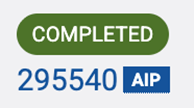
Completed: Annual RPPRs that are trackable, and the proposal for the RPPR submission (i.e., the NCR) has been awarded. Completed Requirements will also be linked to the corresponding SPS award record.
Hidden and past/completed requirements
Hiding a requirement removes the requirement from the project summary display and list of all requirements. Hiding a requirement also adds the requirement to the “Hidden Requirements” section on the Requirements tab in SPS Project. A requirement should only be hidden if it is not applicable or will not be required.
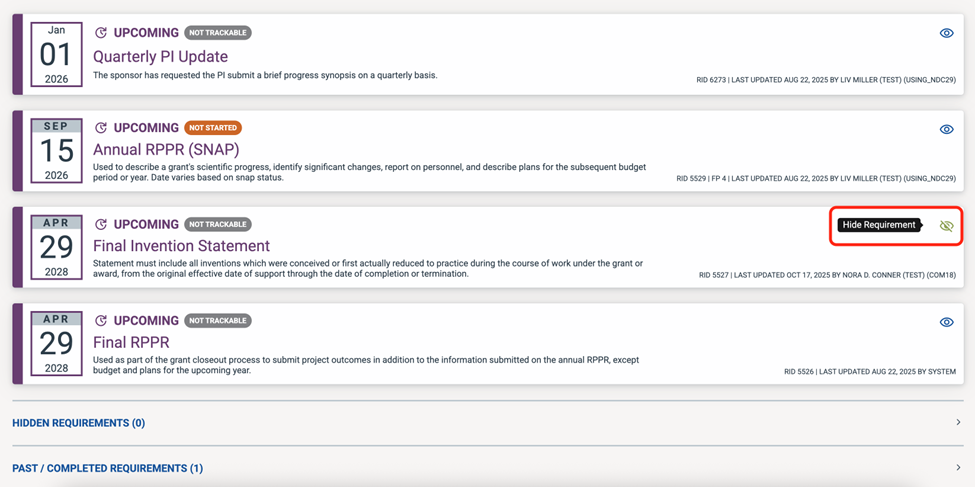
To hide a requirement, go to the “Requirements” tab in the SPS Project.
Scroll to the requirement you will be hiding. In the example below, I will be hiding the Final Invention Statement. Click on the eye icon in the requirement’s row. Upon hovering on the icon, text will appear that says Hide Requirement.
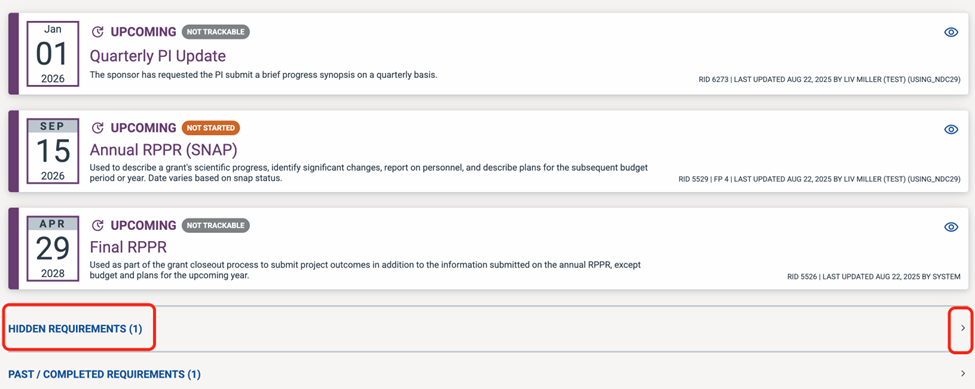
This requirement has been removed from the requirements list and added to the hidden requirements list below. You may click the arrow to expand and see all hidden requirements for a project.
When a non-trackable requirement’s due date has passed, or if a trackable requirement is in “Completed” status, it will be moved from the list of upcoming requirements to the Past/Completed section at the bottom of the Requirements tab in Projects.
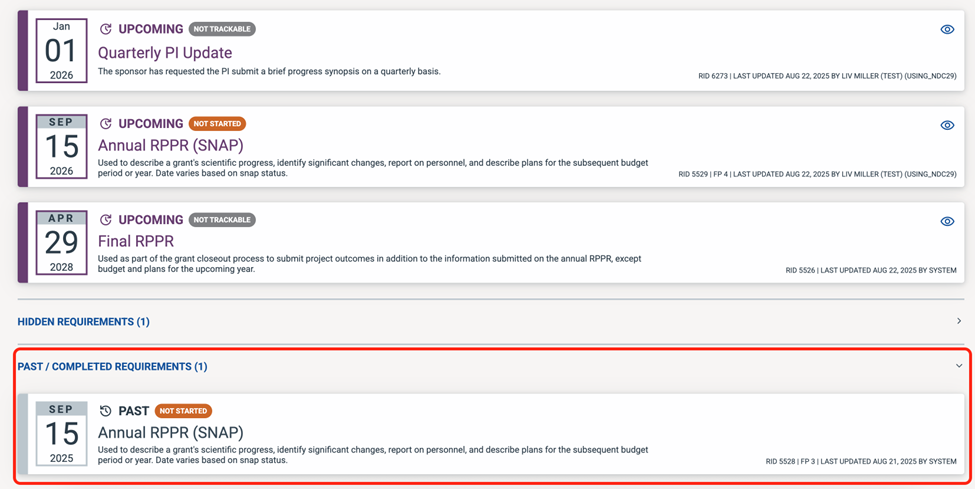
Note: SPS supports requirements due September 2025 or later. Requirements due before September 2025 will not be shown.