Intent to Submit: Quick Reference Guide
What is Intent to Submit (I2S) and how can it help me?
I2S is Duke's required process to connect researchers with offices and people that can support them during proposal development and submission. This process is in place so that researchers can more easily understand and meet requirements and internal deadlines, and learn of helpful resources and services.
How do I start the Intent to Submit (I2S) process?
Direct link to the I2S form
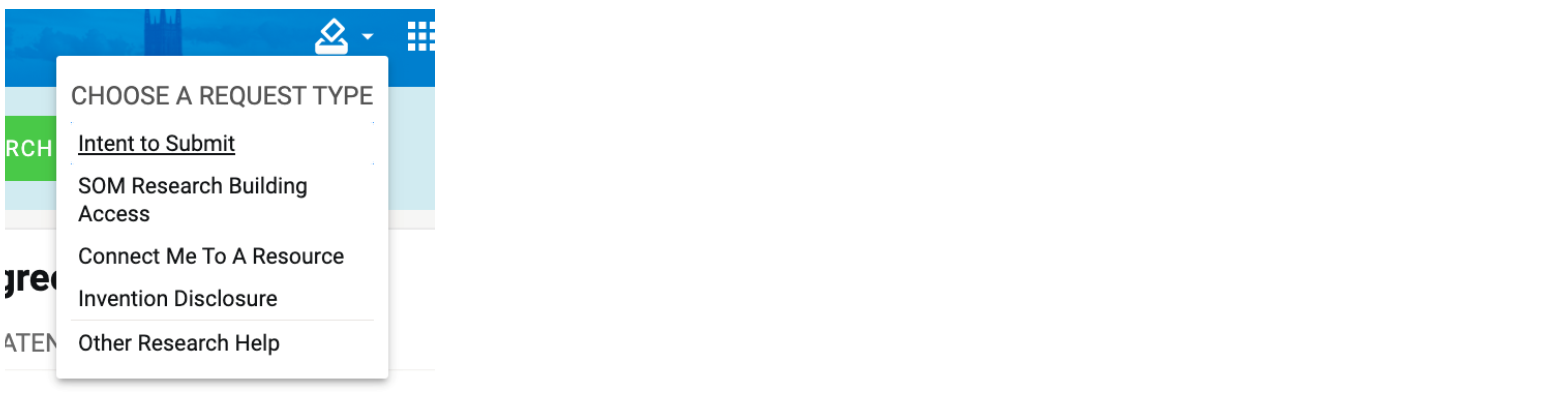
- PIs or someone acting on their behalf should log-in to myRESEARCHhome
- Select the "Submit a Request" dropdown menu
- Select "Intent to Submit"
- Fill out the form
How do I copy an I2S form?
Save time completing I2S forms if the information is very similar to a previously-submitted form.
- Start an Intent to Submit form as you would normally for a new proposal.
- Complete information about the PI, the title and some basics of this specific RFA and proposal.
- About midway down the page, shortly after where you provide the abstract, you will see the opportunity to prefill the rest of the form from a previous I2S submission for the same PI.
- Select the I2S form that most closely matches the kind of work being done in this new proposal.
- Review the pre-populated responses for accuracy, taking care to fill in any questions that were not previously answered.
- Submit the form

Additional I2S Guidance for Research Administrators and Investigators
Below is a series of Quick Reference Guides to assist with the Intent to Submit (I2S) process. This process is required for new and competing externally sponsored research activities at Duke, and must be initiated at least 15 business days before you plan to submit the proposal. View more information about the process and timelines
- Research Administrator Quick Reference Guide
- Investigator Quick Reference Guides:
- Items requested in each of the I2S forms can be previewed here:
Questions about the I2S process can be directed to myresearchnavigators@duke.edu